

Book a demo
Let us today show you the best possible way to manage your keys and store your things.
Book now
Gives you complete control. Easy to use. Easy to manage.
KeyWin6 is the latest version of the market’s most comprehensive administrative tool for securely managing keys and valuables. One or more administrators can manage key cabinets and keys with the highest possible precision, from anywhere in the world.
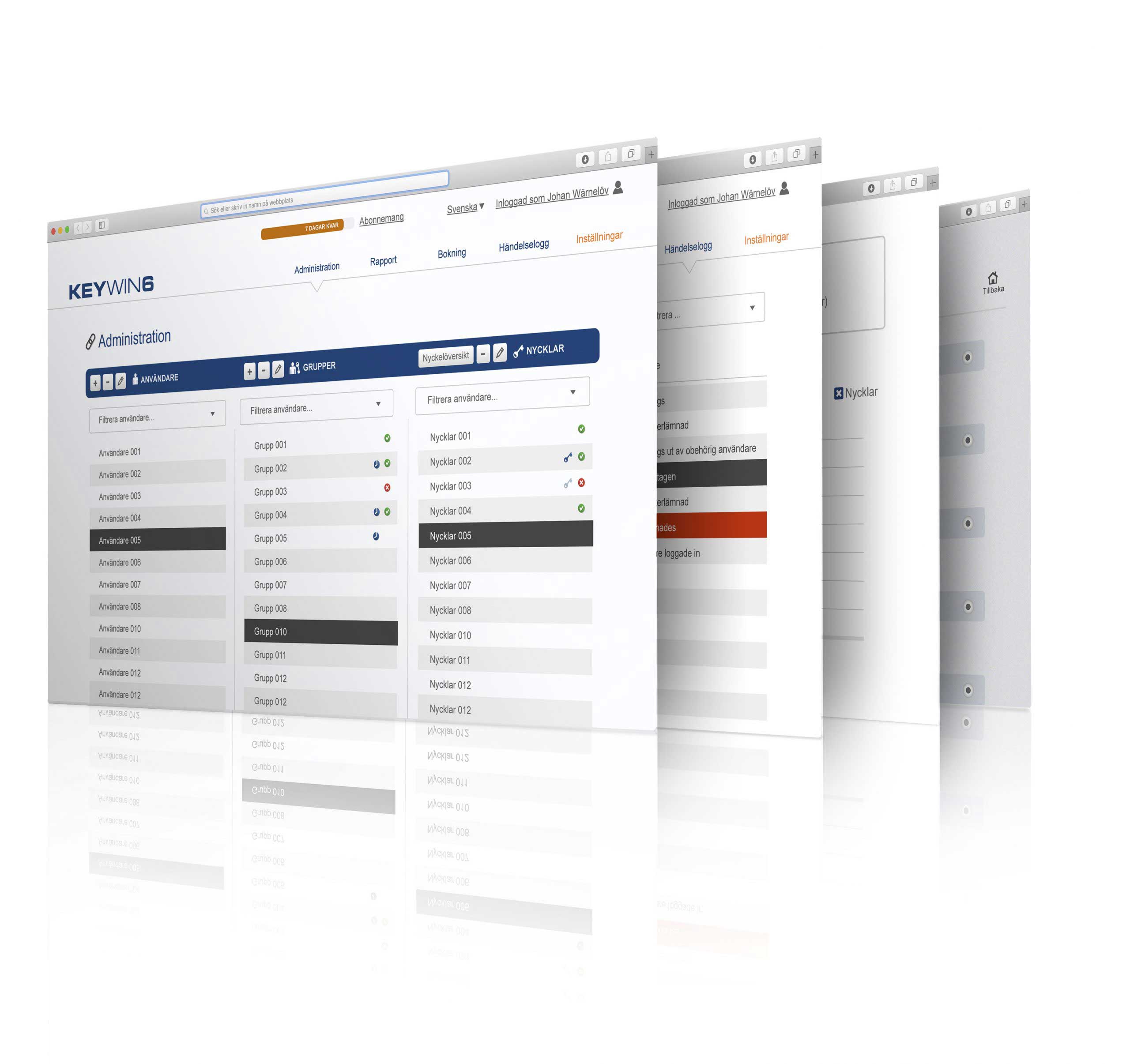
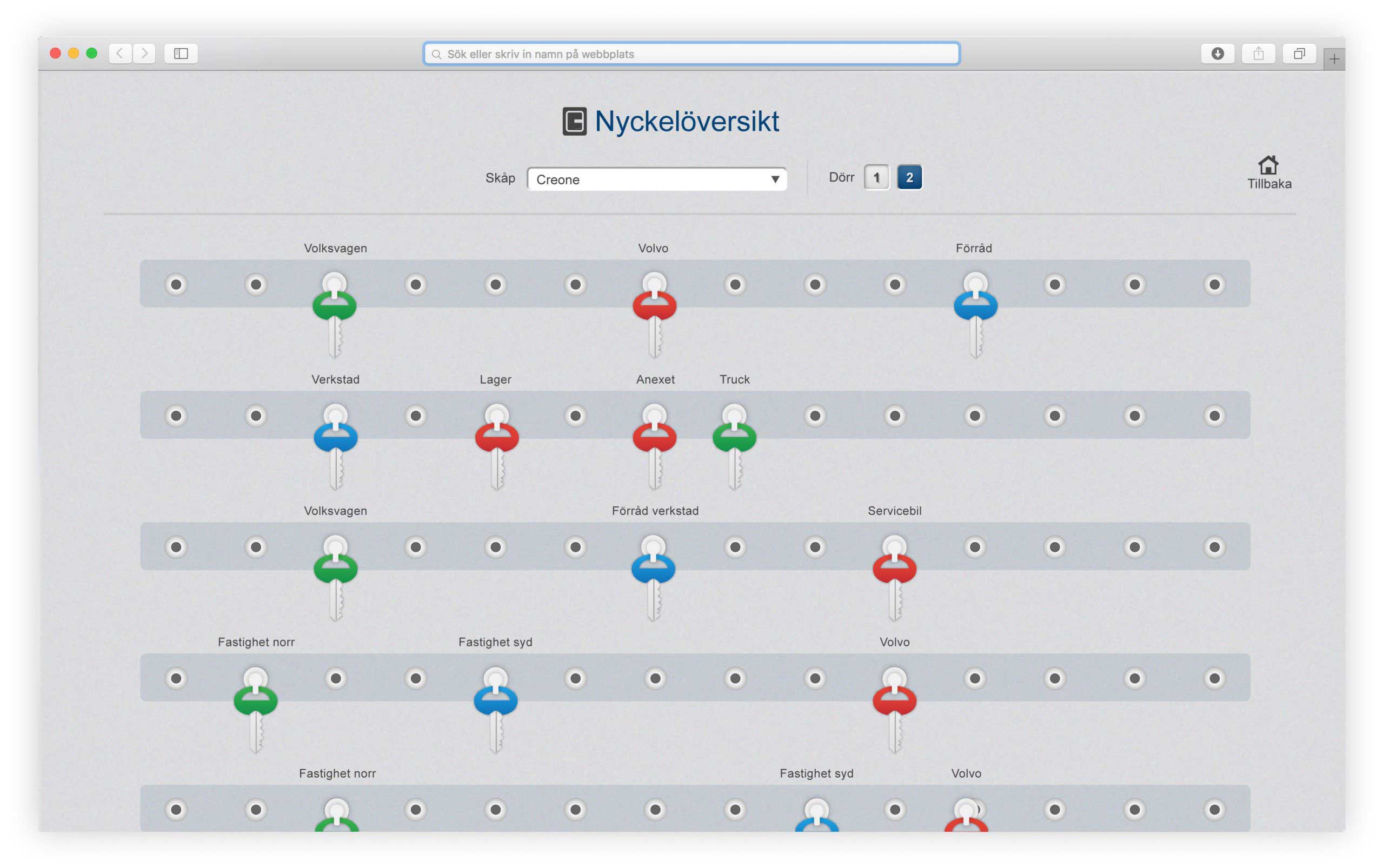
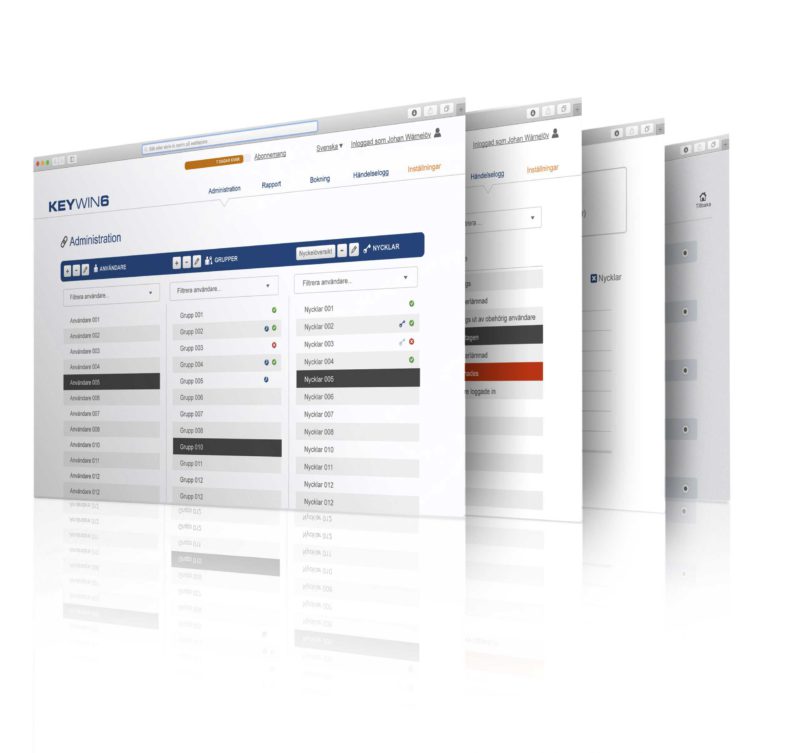
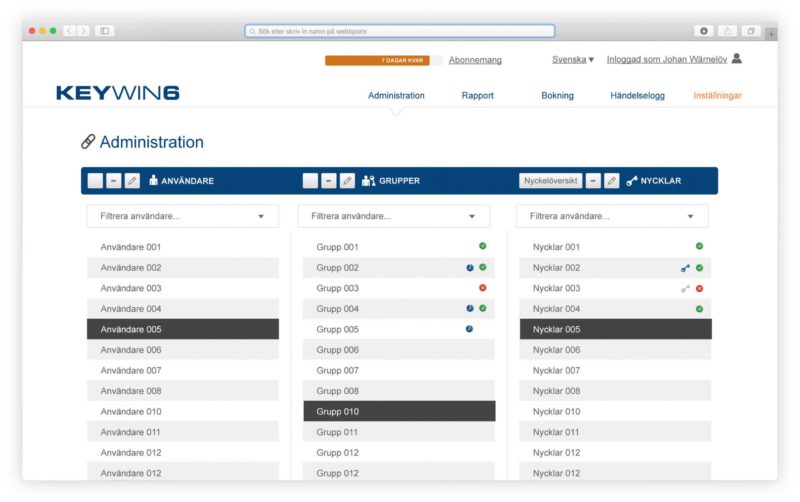
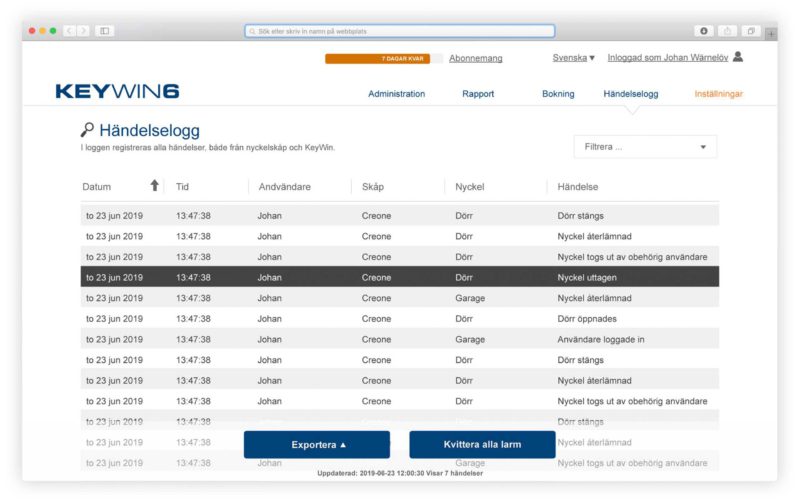
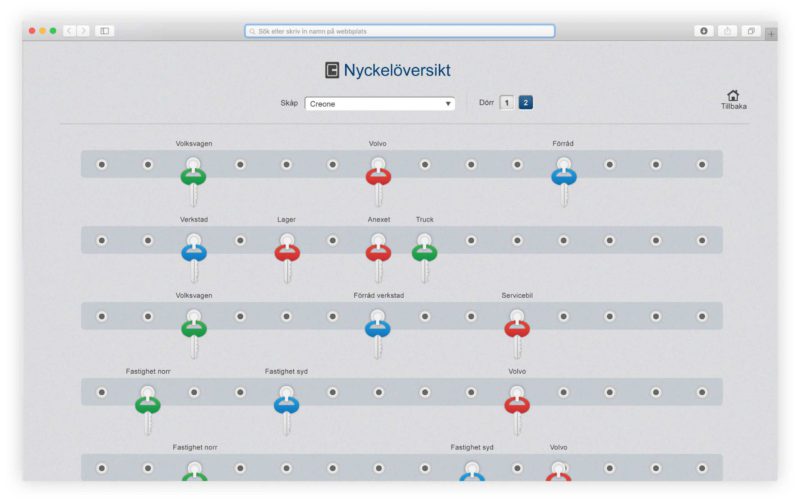
You now have more opportunities to control both keys, use and handling of valuables and equipment by using KeyBox, KeyRack and ValueBox together with KeyWin6.


KeyBox is the key cabinet that offers a simple and flexible solution for every environment.
Discover

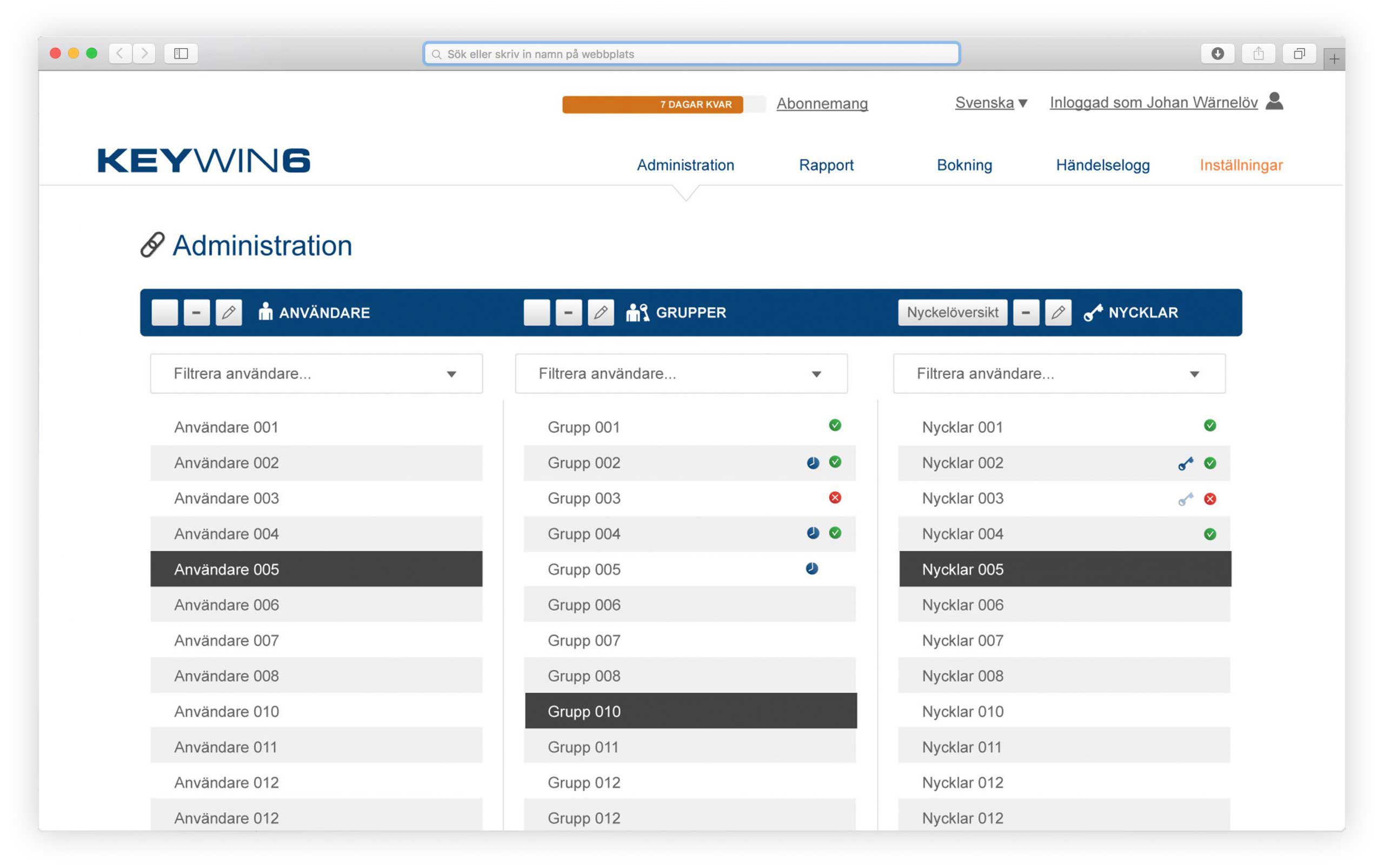
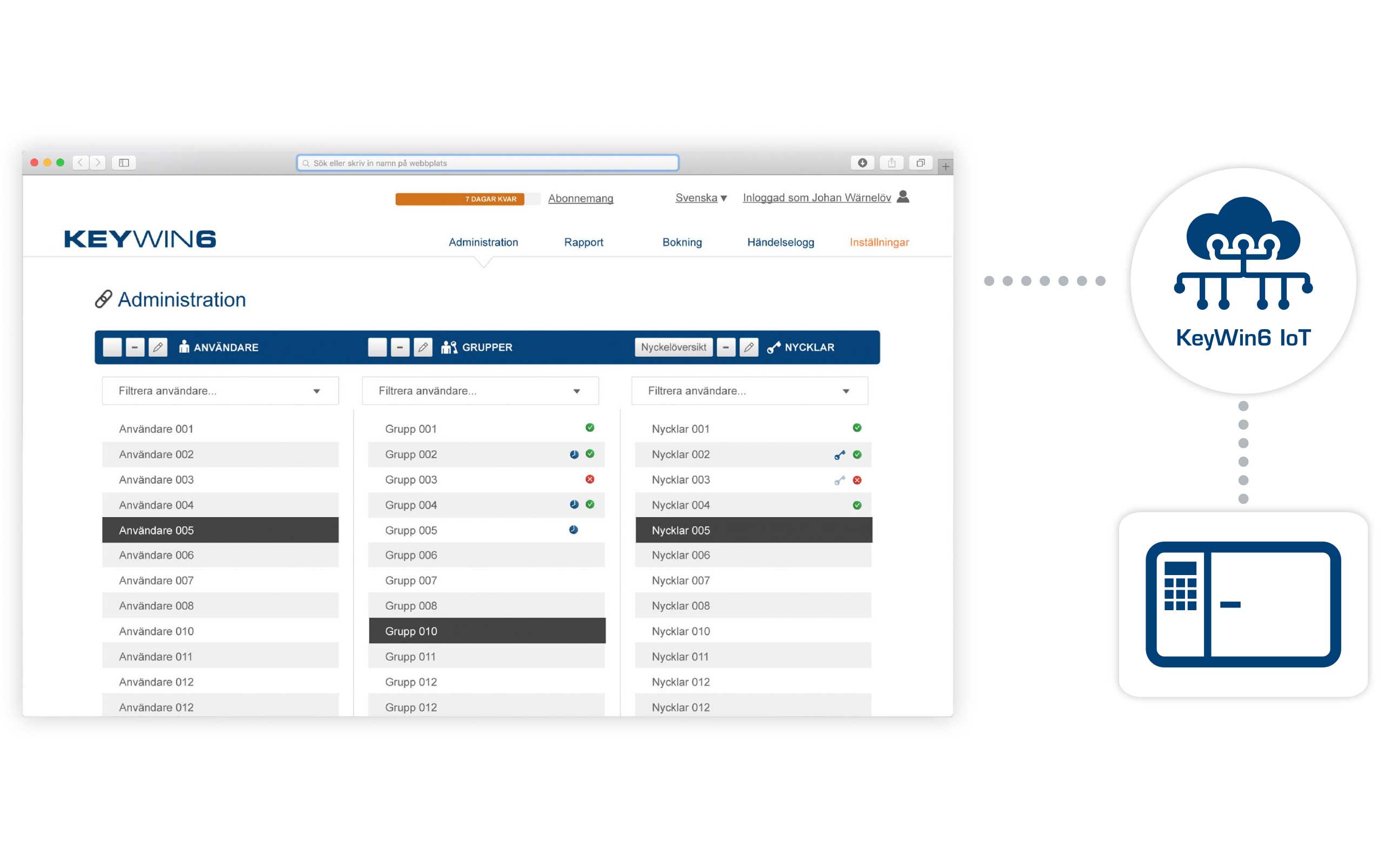
It is easy for you to provide access to individual users or groups and to connect these with the relevant keys or valuables. With its automatic registration, you can always keep track of who is using what. The developed search and filter function simplifies your daily use and creates higher precision and total understanding of the company's management of keys and items.
Our KeyWin6 cloud services is built around IoT technology via Microsoft Azure. Despite the advanced, modern and secure technology – the simplicity is the beauty of KeyWin6 IoT. No local software installation is needed, our IoT products connects only through outbound communication to the KeyWin cloud service. Through advanced technology we simplify and cut cost for our clients – just as it should be.
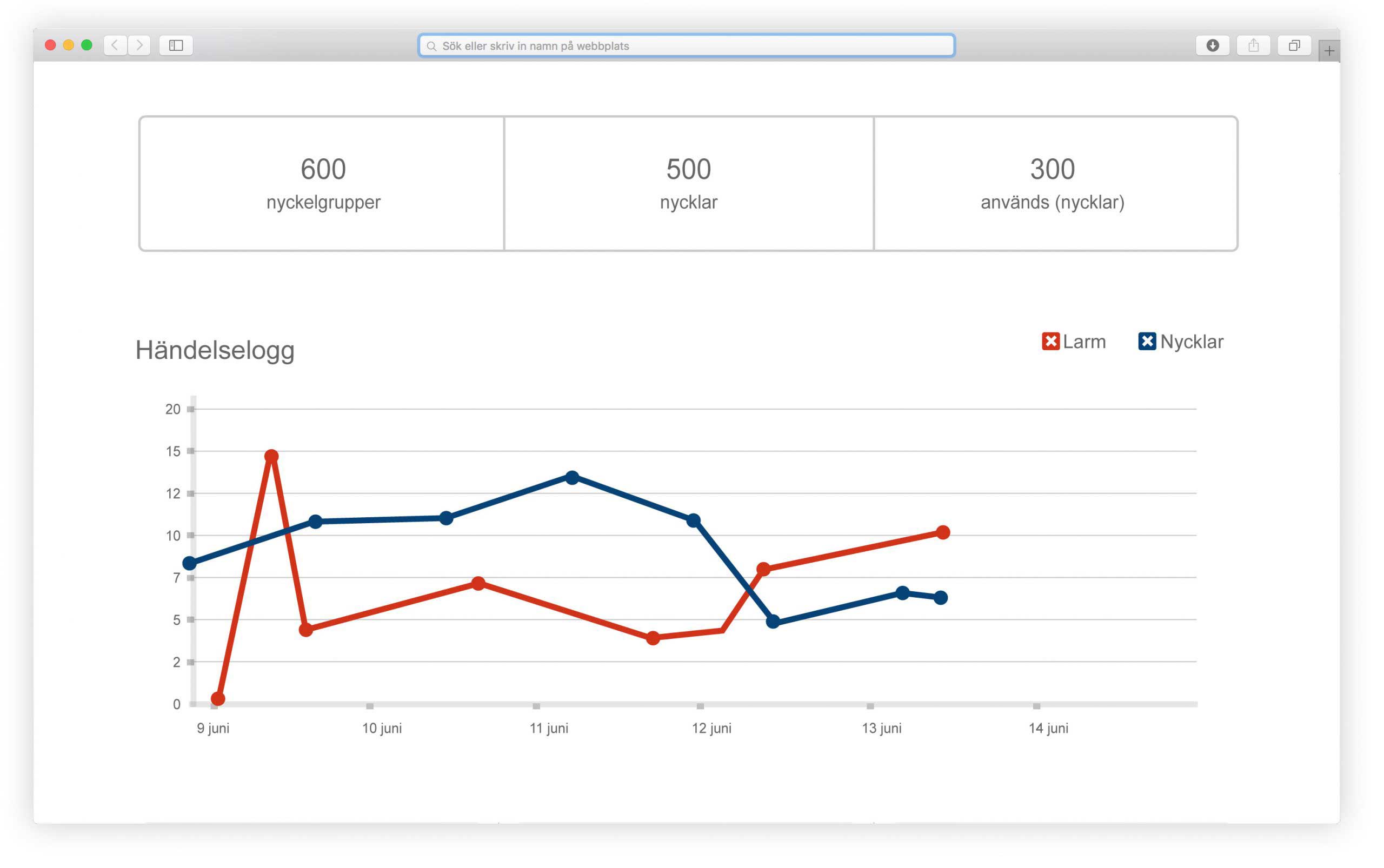
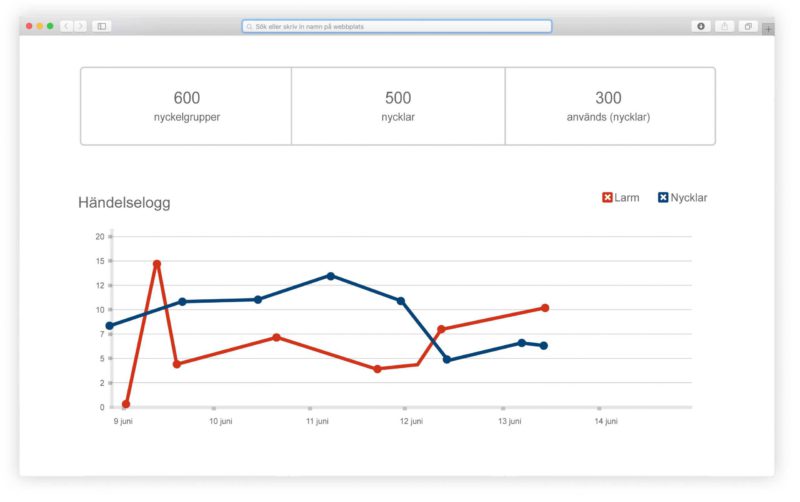
With our KeyWin6 reporting system, you always have complete control of your keys and user movements to understand how you can streamline your management. For example, you can see the most frequently used keys and users who have logged into the cabinet the most times. You also have a clear graph describing how many keys were taken out and how many alarms occurred that day.
With the KeyWin6 key booking system you can easily pre-book both keys and valuables as well as being sure that they are available when you need them.
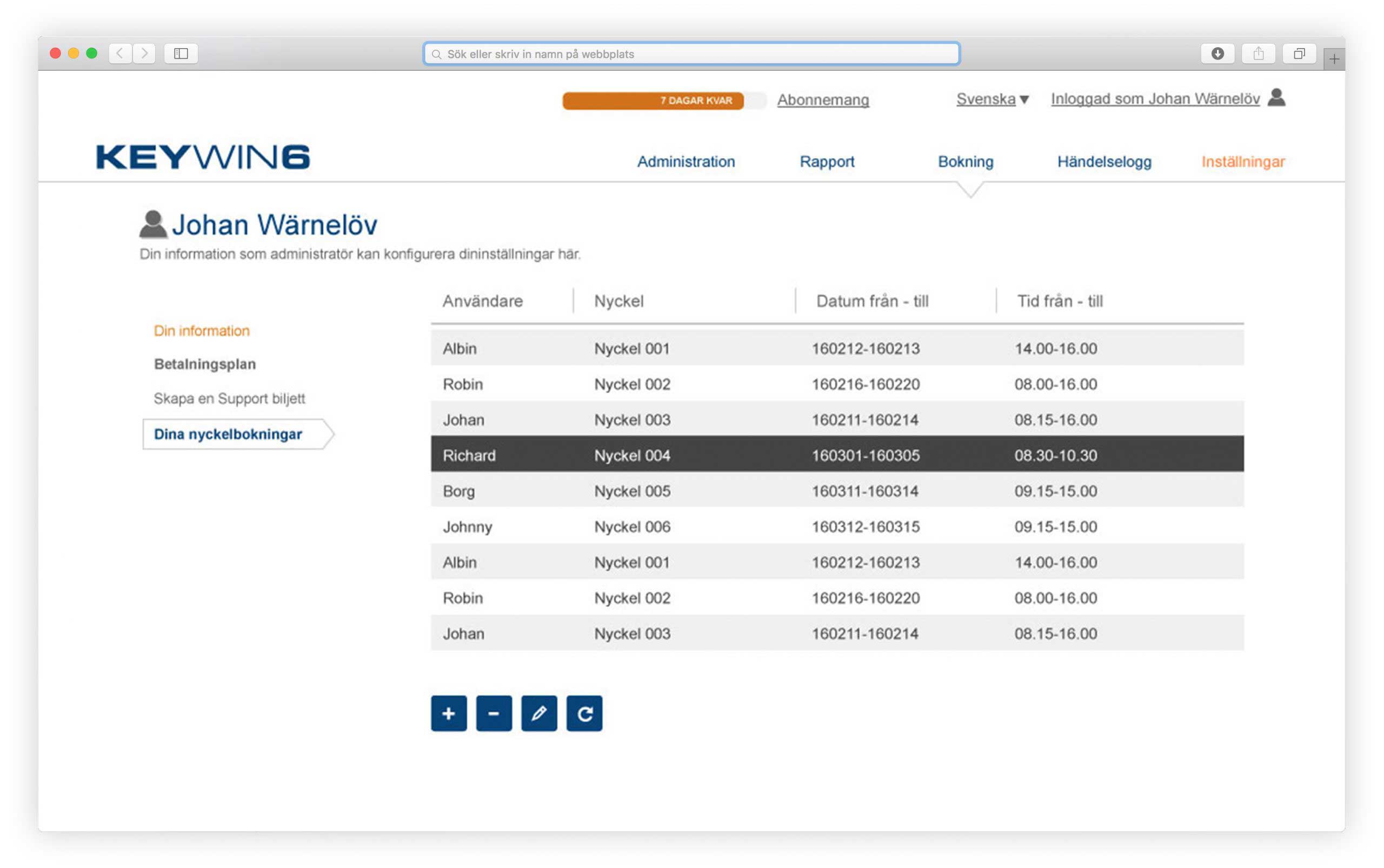
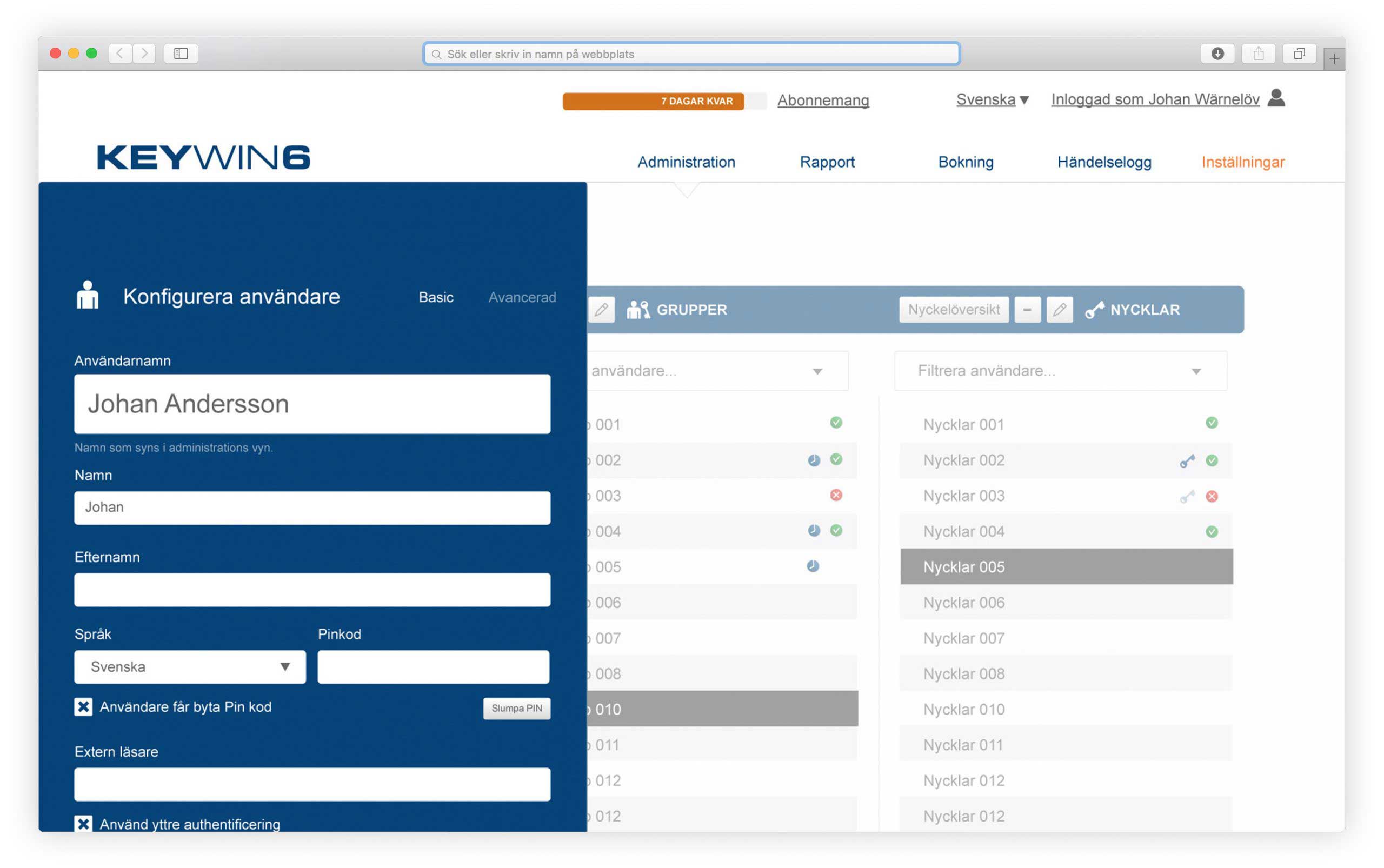
The administrator determines the members of staff who have access to a specific key by entering which user can log into the cabinet with their personal code or card.
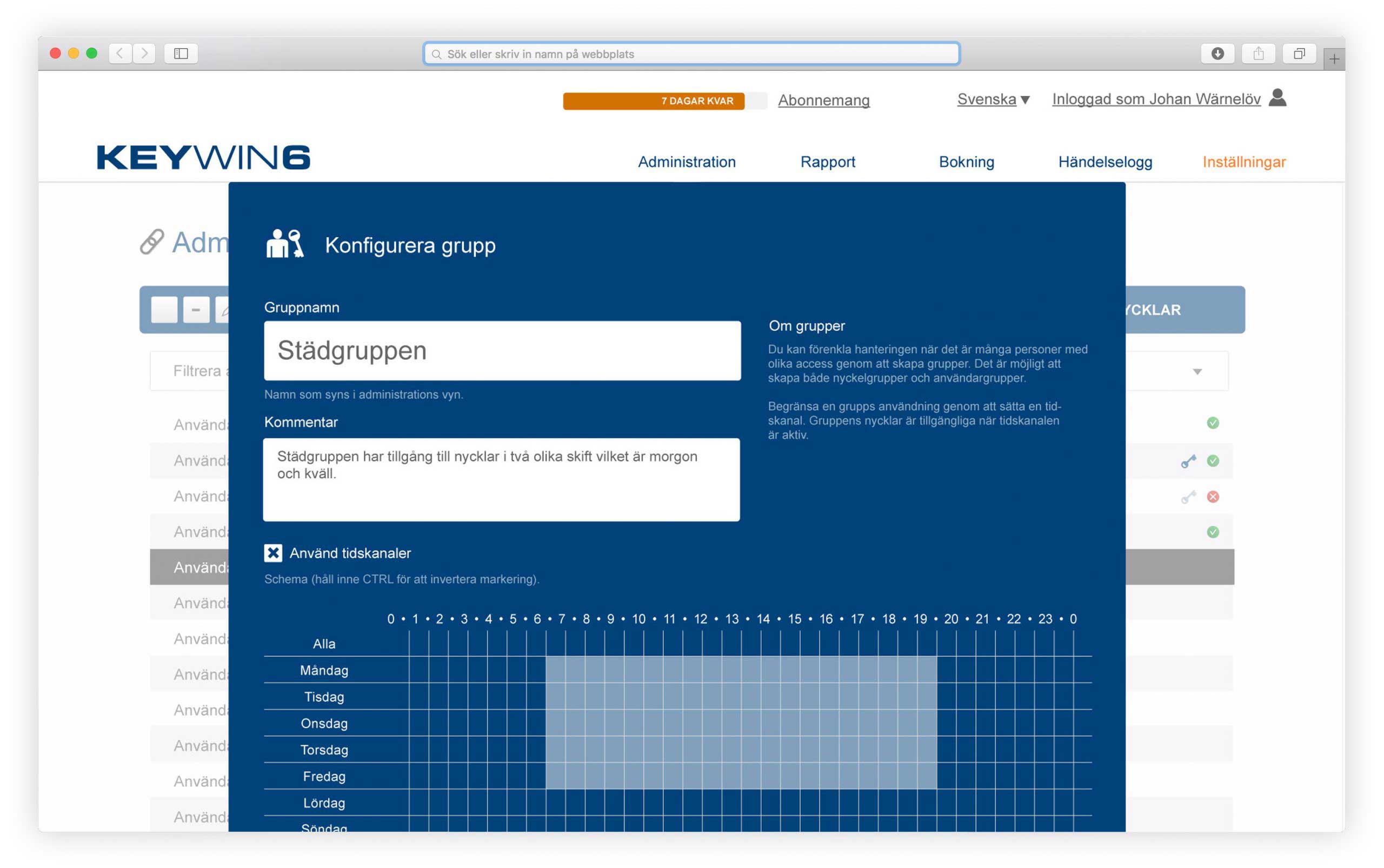
When there are many people with different access levels, you can simplify administration rights by creating groups. It is possible to create both key groups and user groups.
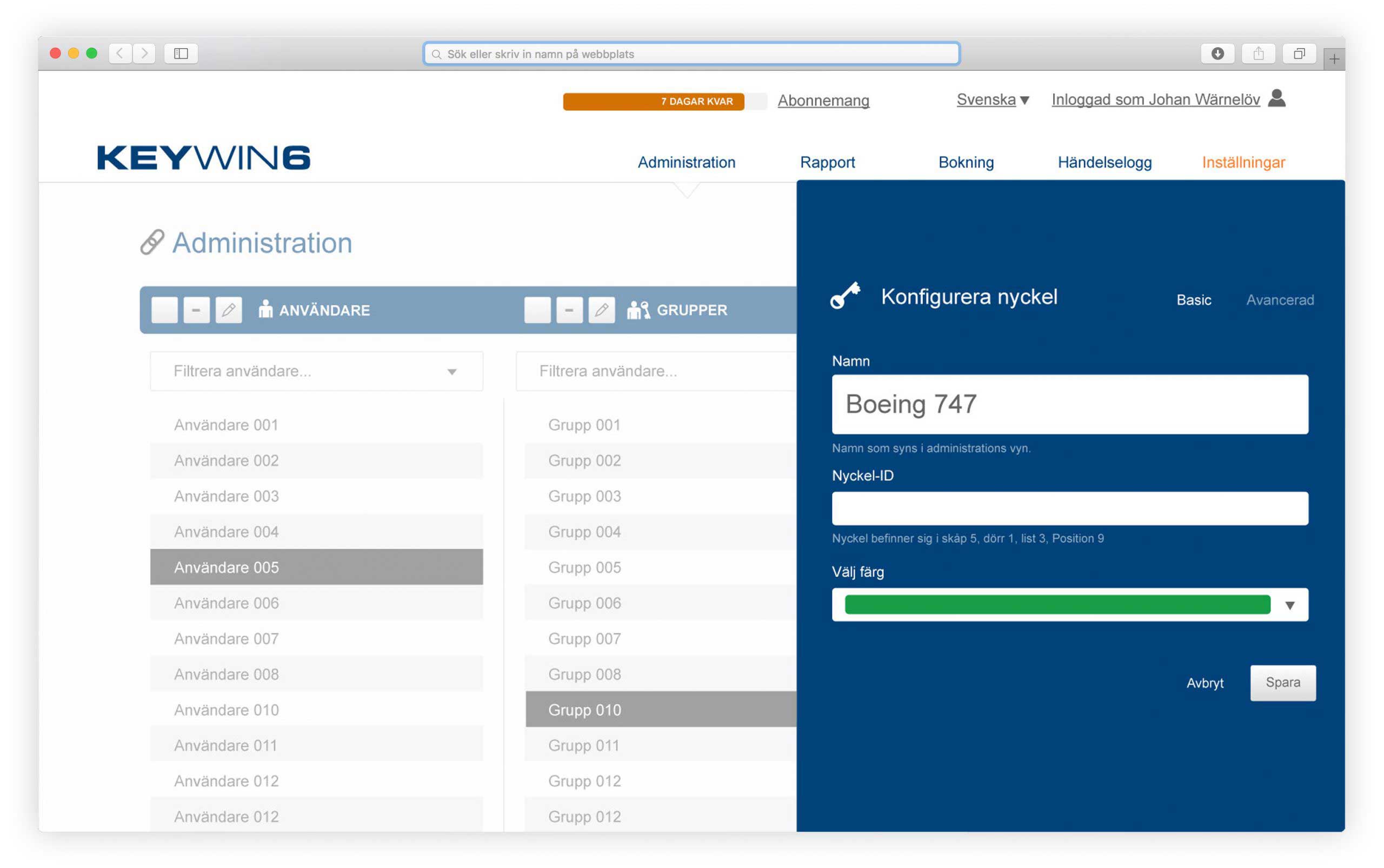
You give each key a name of your choice, or a key ID, to create organisation in your key management.
The search function finds everything in KeyWin because it searches for users, email, department, key, key ID, etc. – as fast as you type.
Gives you the option to view the cabinet's status and edit the keys in the cabinet.
Limit a group's use by setting a time channel. The group's keys are available when the time channel is active.
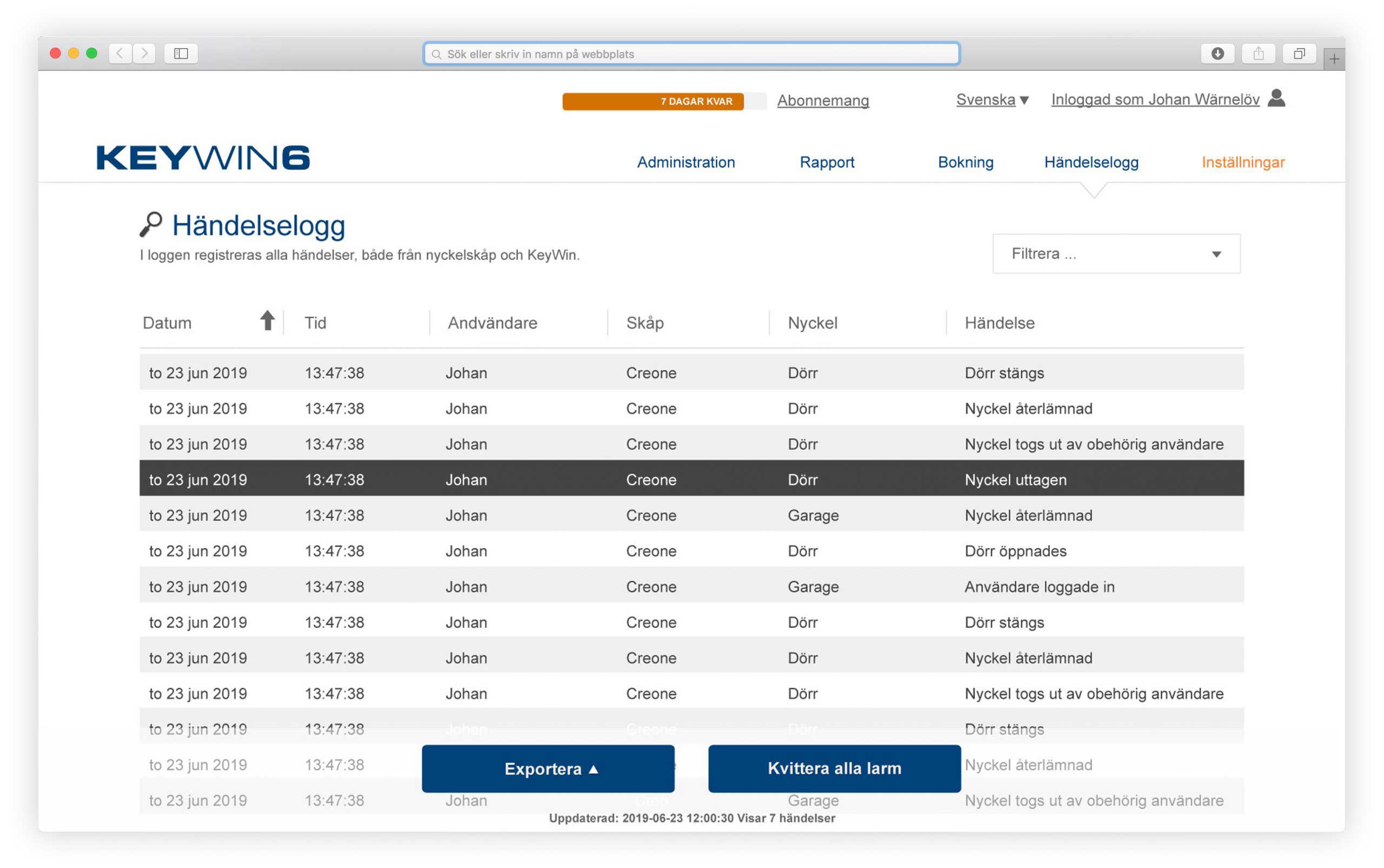
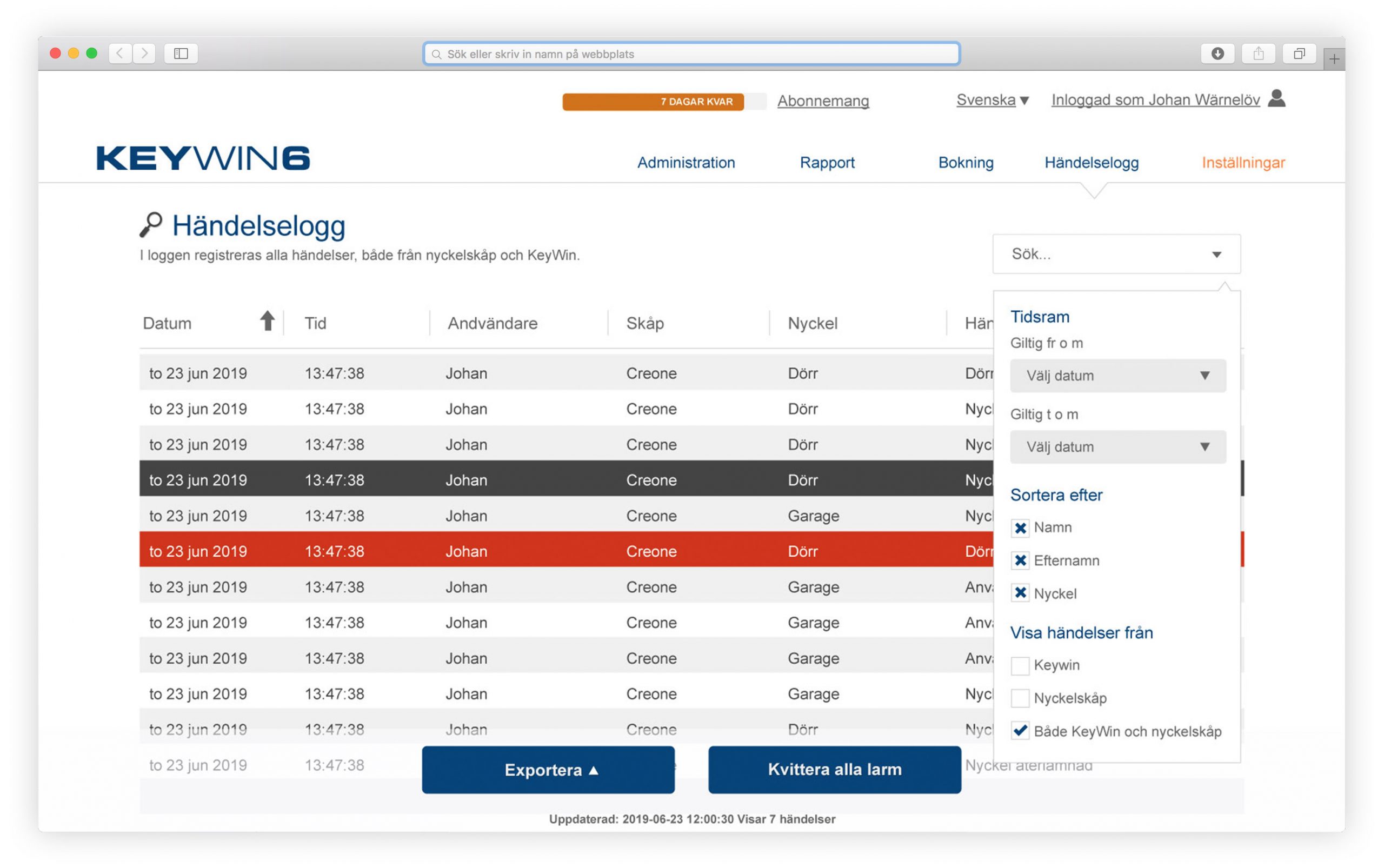
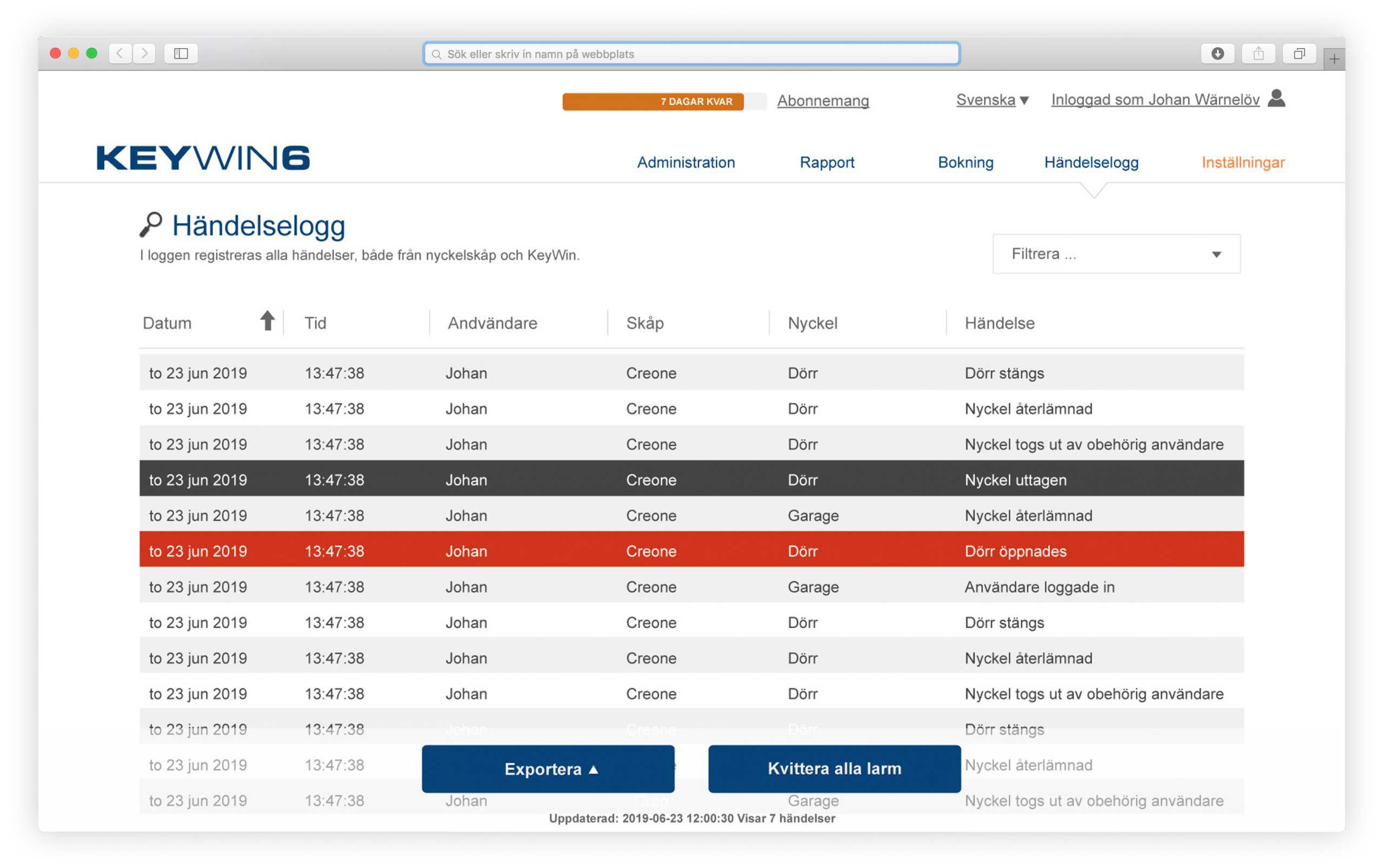
All events are registered in the log, both from the key cabinet and from KeyWin6. You choose what appears in your log list. The intelligent search function, with select options and timeframe, simplifies obtaining the right information and producing reports.
When an alarm occurs, the alarm is clearly marked by a red event in the event log and you can easily see who or what has triggered the alarm.
Through our secure cloud service, we ensure a daily backup of each customer's database.
You can always make a backup of the event log. Either with a CSV file that you can import into Excel or directly into a PDF file, in order to create your own reports or share the information in your event log.
Activate our SMTP service and add recipients to safely and easily be notified via email when KeyWin6 has registered an alarm. You can easily choose the type of alarm you receive to the specified email.
You can choose between several different languages, e.g. Swedish, English, Finnish, German, Flemish, Spanish, etc.
You can choose between many different alarms for your KeyBox. For example, door alarm, key alarm, break-in alarm, etc.
Let us today show you the best possible way to manage your keys and store your things.
Book nowUse the map or search bar to find a retailer. Get help with your existing system or with choosing the right solution.
Search now